
Digital Wedding Invitations You Can Create and Send Free
Pick a wedding template, edit names and details in plain text, then share a link with RSVP tracking - or download PNG/PDF for text and email. No sign-up required to design or download.
- Free to design
- PNG & PDF download
- Share link + RSVPs
- 6 wedding templates
Wedding templates
Online wedding invitations for every style
Six starting points - from cinematic animated opens to classic cards you can text or print. Every template opens in the free invitation maker.
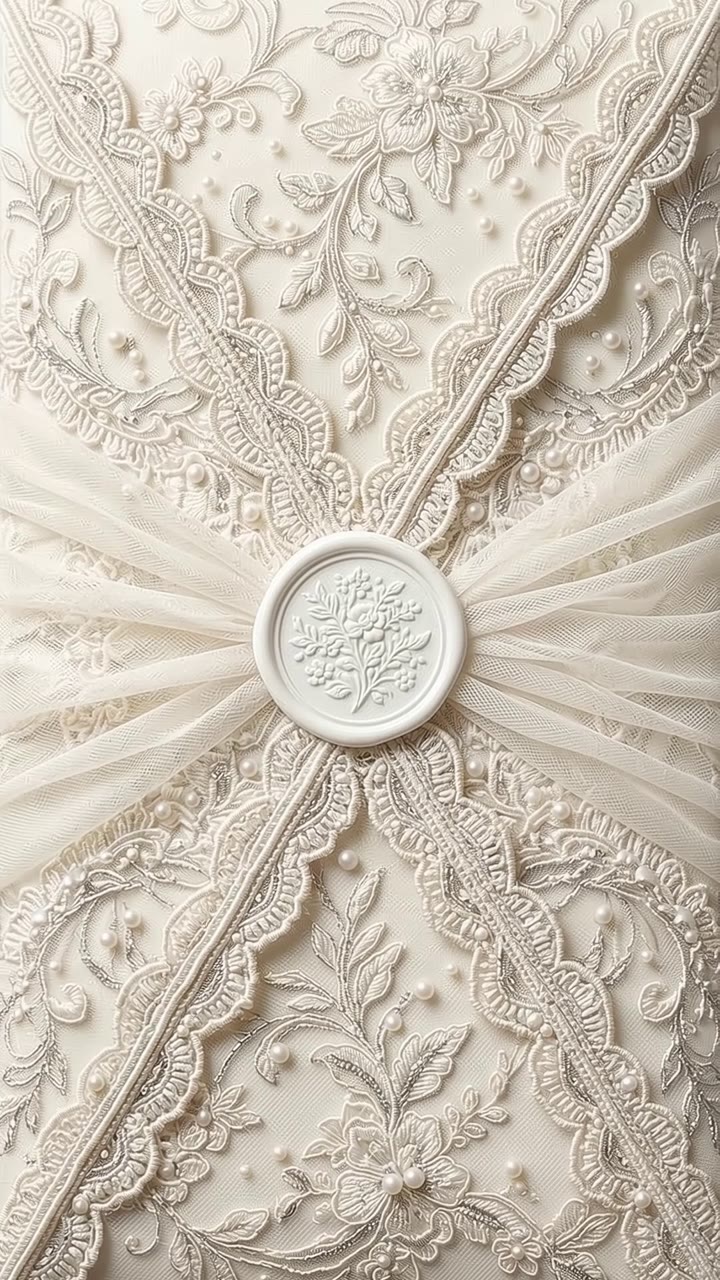
Envelope Reveal
AnimatedAnimated lace envelope that opens into a scrollable invitation - story, schedule, travel and RSVP in one link.
Customize free
Silk Curtain
AnimatedBlush silk curtains part to reveal a romantic multi-section invite with champagne gold accents.
Customize freeEternal
Classic ivory and gold editorial card. Clean for email, text, and a printed keep-sake PDF.
Customize freeBloom
Soft blush florals for garden and spring weddings. Easy to customize names, venue and RSVP note.
Customize freeModern Mono
Bold black-and-white save-the-date energy. Minimalist layout that still feels formal.
Customize freeCoastal
Sea-blue palette for beach and destination weddings. Light enough to send by text message.
Customize freeHow it works
Free wedding invitation maker in three steps
01
Pick a wedding template
Start from Envelope Reveal, Silk Curtain, Eternal, Bloom, Modern Mono, or Coastal. You can switch templates later without rewriting every field.
02
Edit in plain text
Type hosts, date, venue, dress code and RSVP note. No drag-and-drop canvas. Add a photo, tweak colors, and preview on your phone as you go.
03
Share or download
Download PNG or PDF with no account. Sign in when you want a public link so guests can RSVP and you can track replies in one place.
Send options
Digital wedding invitations with RSVP - or a file you can text
Couples use all three paths on the same invite: a live link for most guests, a PNG for group chats, and a QR on a printed save-the-date for elders who still want paper in hand.
Share link + RSVP tracking
Publish a private URL. Guests confirm attendance without an account. You see yes, no, and plus-ones in the dashboard - no spreadsheet of screenshots.
PNG or PDF for text and email
Download a print-ready card and send it by iMessage, WhatsApp, or email. Attach the RSVP link in the same message so replies still land in PicBee.
QR on a printed save-the-date
Print Modern Mono or Eternal as a postcard, then put your invitation or wedding-site QR on the back. Guests scan once and keep the digital version.
Compare
Digital vs paper wedding invitations
Paper still wins for formality with some families. Digital wins on speed, updates, and RSVP tracking. Most US couples mix both.
| Factor | Digital (PicBee) | Paper suite |
|---|---|---|
| Cost | Free to design and download; RSVP link on paid plans | Printing, postage, calligraphy - often $3-$12+ per guest |
| Speed | Share the same day you finish editing | Weeks for print proofs and mailing |
| RSVPs | Tracked in one dashboard, no guest account | Cards, texts, and spreadsheets mixed together |
| Updates | Edit venue time or RSVP date once; link stays the same | Reprint or hope guests read the wedding website |
| Etiquette | Fine for most guests; offer paper for those who want it | Still preferred by some parents and formal ceremonies |
Timing & wording
When to send wedding invitations and what to include
US timing that works
- Save the dates: 6-8 months before (8-12 for destination). Modern Mono is built for this.
- Invitations: 6-8 weeks before a local wedding; 8-12 weeks for destination or holiday weekends.
- RSVP-by date: about 3-4 weeks before the wedding so catering and seating can lock.
Wording checklist
- Both names (and hosts, if parents are inviting)
- Date, start time, and time zone for destination guests
- Venue name and city (full address on the details page)
- RSVP deadline and how to reply (your PicBee link)
- Wedding website or registry link, if you have one
- Dress code and travel notes when they matter
FAQ
Digital wedding invitation questions
Are digital wedding invitations acceptable?+
Yes for most US couples, especially when guests already expect a wedding website. Use digital for friends and younger family, and mail paper to anyone who still prefers a physical suite. PicBee lets you download a PNG or PDF if you want both.
How much do digital wedding invitations cost on PicBee?+
Designing and downloading a digital wedding invitation is free. Sign in to publish a share link and collect RSVPs. RSVP tracking is included on Premium ($39), Ultimate ($79), and matching photographer plans - not on Free or Essential.
Can guests RSVP without an account?+
Yes. Guests open your link on their phone, answer yes or no, and submit. They do not create a PicBee account. You see responses in your dashboard.
What should I say on a digital wedding invitation?+
Include both names, the date and time, the venue name and city, an RSVP-by date, and a link to your wedding website or registry if you have one. Dress code and travel notes help destination guests. Keep the tone matching your day - formal wording on Eternal, casual on Coastal.
When should I send digital wedding invitations?+
Send save-the-dates six to eight months out (earlier for destination). Send invitations six to eight weeks before a local wedding, or eight to twelve weeks for destination. Set the RSVP deadline about three to four weeks before the day so catering and seating can lock.
Can I print digital wedding invitations too?+
Yes. Download PNG or PDF from the creator and print at home or a local shop. Many couples share the link for most guests and print a short run for parents or elders.
How do I send digital wedding invitations by text or email?+
After you publish, copy the share link and paste it into iMessage, WhatsApp, or email. Or download the PNG and attach it with the RSVP link in the message body. Do not rely on a single group chat - send personal notes so the invite does not feel like spam.
What makes PicBee different from a generic invitation maker?+
Besides the free maker and RSVP link, PicBee connects the invite to the rest of the wedding weekend: a QR guest photo gallery, a wedding planner on Ultimate, and a photobook after the day. Guests move from invitation to photos without a second app.
After they RSVP
From digital wedding invitations to the photo gallery
This is where PicBee beats a generic design tool. The same event can hold the invite, the planner, and the QR gallery guests open on the day.
QR wedding photo sharing
Put the gallery code on table cards. Guests upload with no app - the invite already got them used to a PicBee link.
Wedding planner
Budget, guests, seating and shot list on Ultimate - next to the same event as your invitations.
Photobook
After the weekend, turn gallery favorites into a print-ready book - same photos guests already uploaded.
Create your digital wedding invitation
Free to design. Free to download. Sign in when you are ready to track RSVPs.